Usage Logs
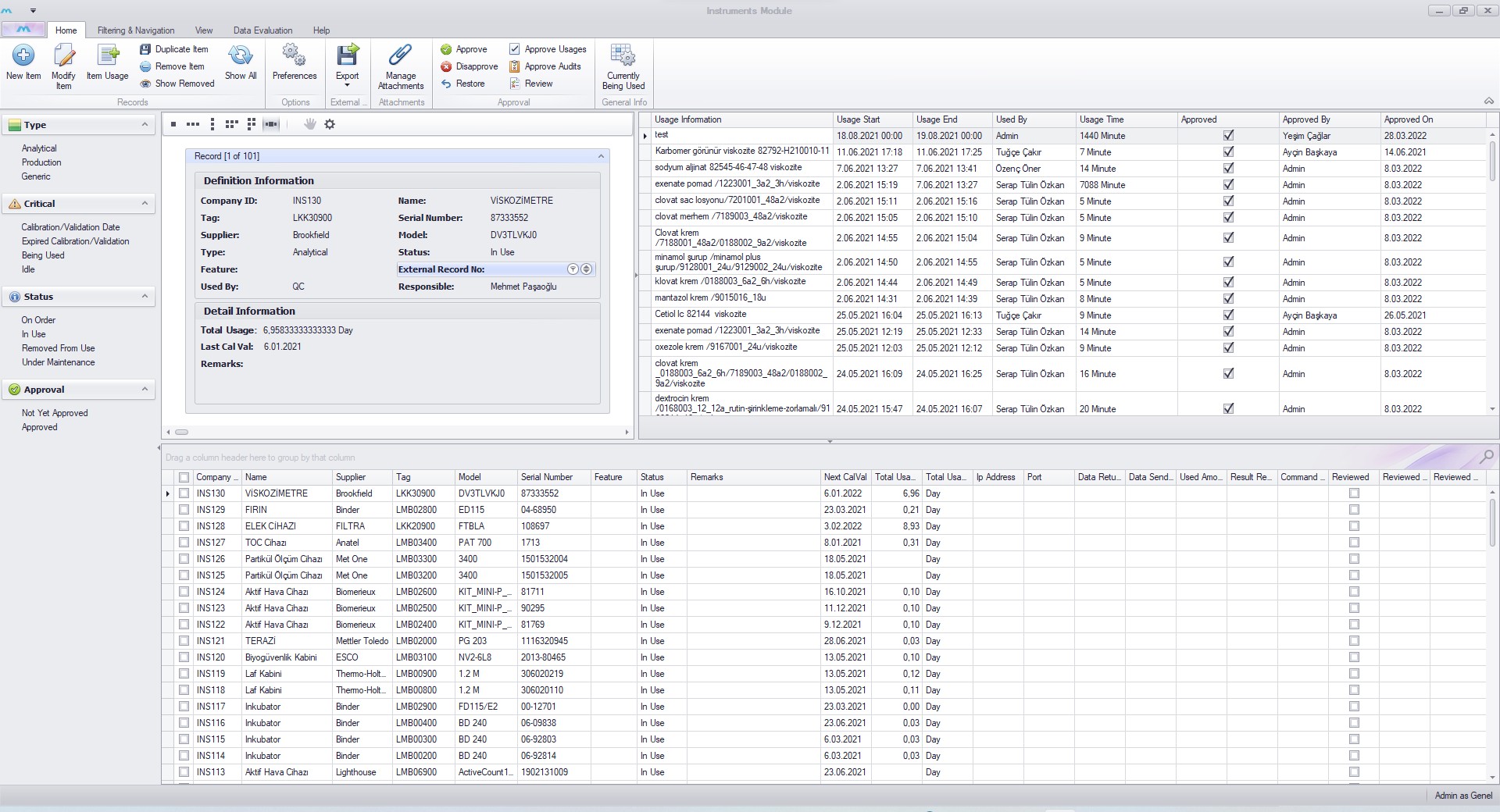
Usage recording in Manage is handled in two different categories. One is quantitative usage or weighing for inventory tracking; the other is time-based usage records entered for instruments and columns.
Usage records in Manage are designed to be extremely user-friendly and practical, and they also give you instant analyses with a depth that will surprise you.
Instrument inventory, usage and audit trail records are kept under control with approval mechanisms, like the rest of the Manage system.
Innovative and Practical Usage Recording
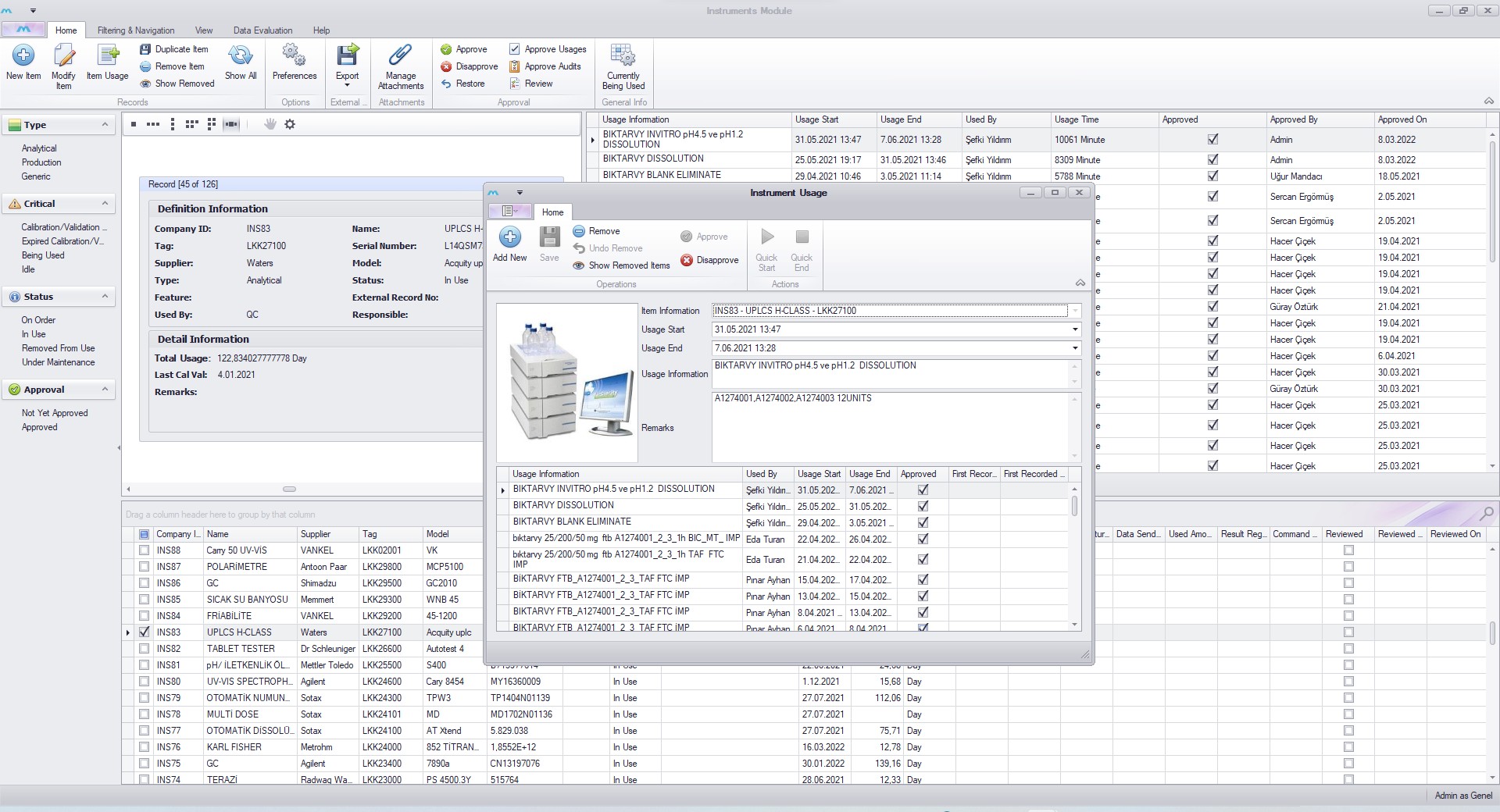
You can enter usage records by selecting the instruments or columns you use during analysis recording and just clicking the start and finish usage buttons. The person, analysis and date information are filled in by Manage, and your logbook is generated automatically using your defined logbook format.
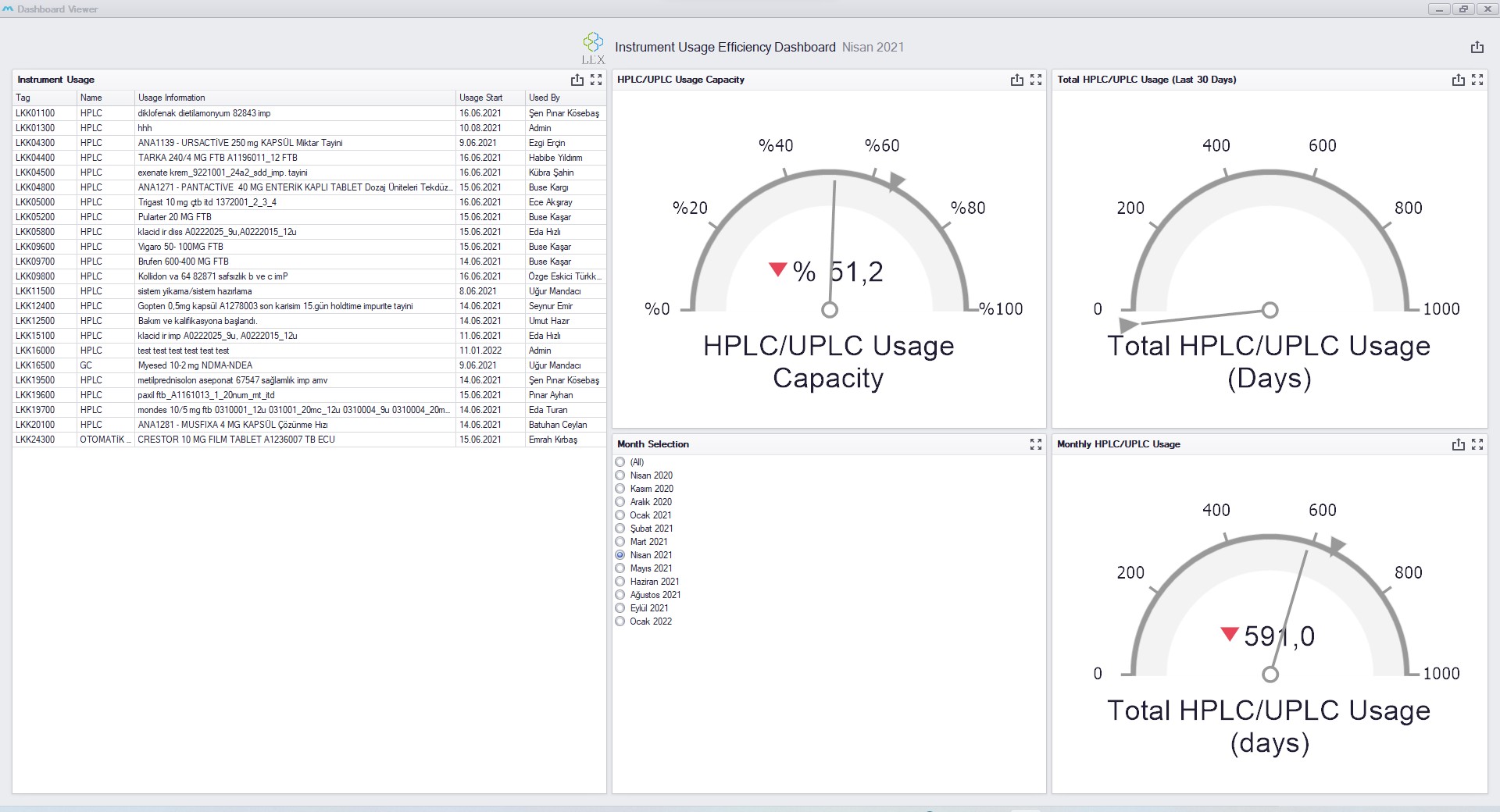
Instant Status Analysis and Advanced Capacity Reporting
With Manage, information you could never reach from paper logbooks is always in front of you. For example, which instruments or columns are in use or free, daily or monthly capacity utilization rate and efficiency calculations... Besides what you can see instantly, you can turn much more into reports or graphs.
Column Performance Tracking
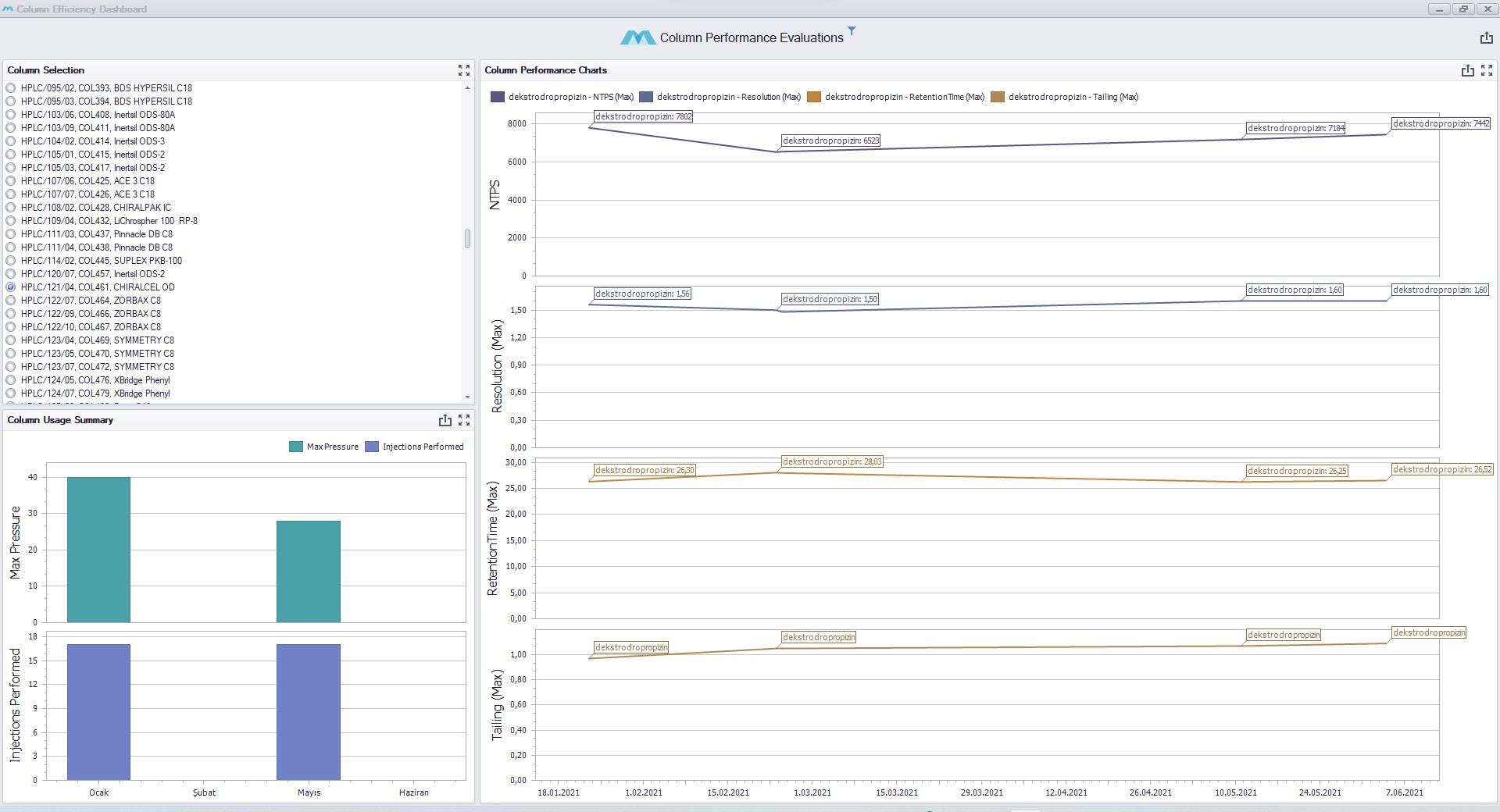
Analytical column usage records are not limited to usage records. You can enter performance parameters for your columns, monitor the condition of columns on graphs, and decide which column to use in light of this information.
Calibration/Validation Tracking
You can also manage the calibration/validation information of instruments through Manage. You can prevent usage records from being entered for instruments whose calibration/validation date has passed, and create monthly calibration/validation schedules.